
CV Business Solutions | Managed Print Services & Document Solutions
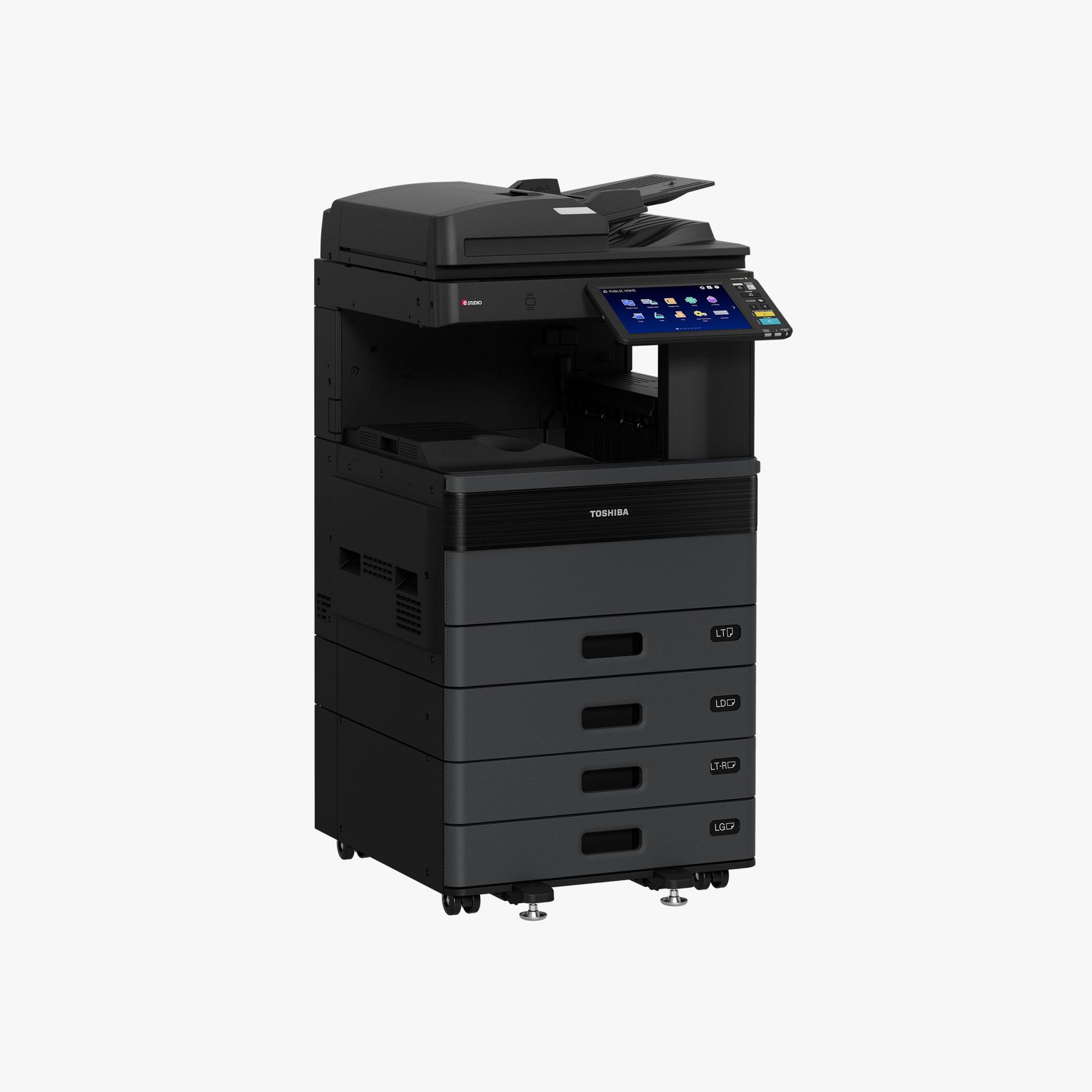
e-STUDIO479S
Get work done like never before with the e-STUDIO479S at the office. This monochrome MFP offers superior quality, enhanced security and skillfully engineered durability to withstand the heavy demands of fast-paced work environments.
- Print faster with speeds up to 50 pages per minute
- Save time with built-in productivity apps
- Work with less interruptions thanks to greater input capacity

50 PPM
monochrome
650, 2300 paper capacity
Product Details
Our hardworking monochrome MFP helps medium workgroups streamline daily operations so teams can focus their time where it’s most effective. The e-STUDIO479S comes powered with a quad-core processor to maximize performance along with an integrated stapler to complete finishing touches.
e-STUDIO479S Spec Sheet (English) ⇩
e-STUDIO479S Spec Sheet (Spanish) ⇩
e-STUDIO479S Spec Sheet (Portuguese) ⇩
e-STUDIO479S Spec Sheet (Spanish) ⇩
e-STUDIO479S Spec Sheet (Portuguese) ⇩
Features
Productivity
Monochrome Print Speeds up to 50 PPM
Single Pass Duplexing Automatic Document Feeder
Scan speed Up to 100 IPM Duplex, 50 IPM Simplex
Solutions Ready
ENERGY STAR® Certified
High compression PDF scanning (Slim PDF)
Stapler finisher
Universal Print Driver
Image Quality
1200 x 1200 dpi print resolution
2,400 dpi image quality
Operability
7-inch tilting color control panel for easier operation
Remote VNC (MFP operable via PC, Tablet or Mobile Device)
Voice Guidance
Control Panel MFP hard keys (buttons)
Fax Standard
Universal Print Driver common with all current Toshiba e-BRIDGE MFPs
Serviceability
Easy to Maintain
High Yield Consumables
Max MCV of 175K pages
Main Specifications
Copy System
Indirect Electrostatic Photographic Method/OPC/Laser Printing/Heat Roller Fusing
Display
4.3″ Color LCD Touch Panel
Copy Speed
42 PPM (LT)
First Copy Out
As Fast as 5.9 Seconds
Warm-Up Time
Less than 80 secs.
Max. Original Size
LG (8.5″ x 14″)
Original/Copy Paper Size
ST- R- LD
Paper Supply
Standard 250-Sheet Cassette, Standard 100-Sheet Bypass Tray
Paper Capacity
Standard 350 Sheets/Max. 2,900 Sheets
Original Feed
100-Sheet RADF
Max. Original Size
LD/A3
Duplex
Standard Automatic Duplex Unit: 16 lb Bond-90 lb Index
Reproduction Ratio
25% to 400%
Max Duty Cycle
Max. 84K Month (Color/Monochrome: 100%)
Weight
Approx. 125 lb
Approx. Dimensions
26” (W) x 23” (D) x 31” (H)
Toner Yield
CMY: 38K, K: 39.8K @ 5%
Power Source
120 Volts, 50/60 Hz, 12 Amps
Power Consumption
Maximum 1.5kW (120V)
Plug Type
NEMA 5/15
Memory
4GB
Hard Disk Drive
128GB Solid State Drive (SSD)
Controller Specifications
PDL
PCL 6 Emulation
Print Speed
25 PPM (LT)
Print Resolution
600 x 600 dpi (5 bit), 1,200 x 1,200 dpi (Color/2 bit) or 3,600 (Equivalence) x 1,200 dpi (BW/with
Smoothing) (PS3 Only)
Operating Systems
Windows® 8.1, 10, 11, Windows Server® 2012/R2, Windows Server® 2016/19/22, Macintosh® (macOS X 10.10-15,
12), Unix®, Linux®
Network Protocols
TCP/IP (IPv4, IPv6), NetBIOS over TCP/IP, IPX/SPX® for Novell® Environments, EtherTalk® for Macintosh
Environments
Printing Protocols
SMB V1-3, LPR/LPD, IPP V1.2 w/ Authentication (TLS 1.2/1.3), AppleTalk® PAP or EtherTalk®, Port 9100
(Bi-Directional), NetWare P-SERVER LPD w/ iPrint, BlueTooth (HCRP/BIP/OPP/FTP), WS Print, FTP
Print Drivers
Windows® 8.1 (32-bit, 64-bit), Windows Server® 2012/R2 (64-bit), Windows® Server 2016/19/22, Windows® 10,
11 (64-bit), macOS X 10.12-15, 11, 12
Interface
RJ-45 Ethernet (10/100/1000 Base-T), USB 2.0 (High-Speed), Optional IEEE802.11b/g/n, Wireless LAN,
Optional Bluetooth
Wireless Device
AirPrint®, Mopria®, e-BRIDGE Print & Capture Application on iOS and Android (Available via Apple® App
Store or Google Play)
Device Management
TopAccess
Account Control
Up to 10,000 users or 1,000 Departments. Supports User Authentication (on Device), Login
Name/Password (via Windows® Domain) or Login Name/Password (via LDAP Server) for Copy, Print, Scan,
Fax, List, and User Function
Accessibility Features
Tilt Front Panel, Job Programs, Universal Grip for Paper Trays, Disable Screen Timeout, Audible
Beeps, Optional Voice Assist
Security Features
User Authentication, Trusted Platform Module, On-Board Data Scramble Function, SCEP, Disable
e-Filing, Disable Copy, Disk Overwrite, IP Address Filtering (10 Sets), MAC Address Filtering (10
Sets), Network Service Control, Network Port Control, SMB Packet Signing, SSL/TLS (HTTP, IPP, LDAP,
SMTP, POP, FTP, DPWS, SYSLOG), IPsec (IKEv1, IKEv2), Security Mode Change, CC Certified
(ISO/IEC15408*) with HCD-PP v1.0, IEEE802.1X (Wired/Wireless), Digital Signature for Client Utilities,
Password Policy, Password Lock, Password Expiration, Self Testing, Job Access Control, Log Access
Control for Job Log, Security Stamp, Role Based Access Control, Secure PDF, Digital Signature for
Firmware Update, Integrity Check Function, Image Log, Card Authentication, Biometric Authentication
*Conformance with HCD-PP v1.0 in High Security Mode
Environmental Stds
ENERGY STAR® (V3.2), EPEAT Gold, Californian Proposition 65
Certification
WHQL (Windows® 8, 8.1, 10, 11, 2012, 2012 R2, 2016/19/22), Novell®, Citrix®, SAP, AirPrint®, and
Mopria®
Scan Specifications
Scan Speed
RADF Scan: Up to 73 IPM (Monochrome or Color)
Scan Modes
Standard: Full Color, Auto Color, Monochrome, Grayscale
Scan Resolution
600 dpi, 400 dpi, 300 dpi, 200 dpi, 150 dpi, 100 dpi
File Formats
Monochrome: TIFF-Multi/Single Page, PDF-Multi/Single Page, Searchable PDF, XPS-Multi/Single Page,
DOCX, XLSX, PPTX
Color/Grayscale: JPEG, TIFF-Multi/Single Page, PDF-Multi/Single Page, Slim PDF, Searchable PDF,
XPS-Multi/Single Page, DOCX, XLSX, PPTX
Image Compression
Color/Grayscale: JPEG (High, Middle, Low)
Fax Specifications
Compatibility
Super G3
Data Compression
MH/MR/MMR/JBIG
Transmission Speed
Approx. 3 Seconds Per Page
Fax Modem Speed
Up to 33.6 Kbps
Memory Transmission
100 Jobs, 2,000 Destinations Max. 400 Des
e-Filing Specifications
Operation Method
Color Touch Screen Control Panel or Client PC
Number of Boxes
1 Public Box; 200 Private User Boxes
Capacity of Boxes
100 Folder per Box; 400 Documents per Folder/Box; 200 Pages per Document